
01
See what makes a chord.
Root, third, fifth, seventh. Every note has a colour and a function. Move beyond memorising dots.
 Get ChordFitGet
YOUR GUITAR. YOUR VOCABULARY.
More than a shape to memorise. A sound to understand, keep, and make part of your music.
Now on iPhone and iPad.
A personal chord library, built around you.
Major seventh · one voicing
String 1 at the top · string 6 below · numbers = frets
One shape. Two sounds. Try it in C and D.
A small taste of the app · synthesized sound
A major seventh. One voicing. A little room to explore.
From your first open chord to your next favourite inversion.Standard guitar tuning · Five interface languages
FROM DISCOVERY TO YOUR NEXT SESSION
A new sound. A clearer view. A moment to practise. Follow the journey with five short demos from the current app.
Compare voicings, find their position on the neck, choose your view and practise at your own pace. See it happen in ChordFit.
A voicing is a way to arrange a chord’s notes. Explore 45 families and 4,368 voicings, then keep the ones that speak to you.
Recorded in the current iOS app. Each note’s function appears in colour and text, with clear string and fret labels.
Make room for your next chordFollow one chord from discovery to your own collection: explore its voicings, locate it on the neck, choose your view and make time for a card.
Get ChordFit on the App StoreA DICTIONARY THAT BECOMES PERSONAL
Root, third, fifth, seventh. Every note has a colour and a function. Move beyond memorising dots.
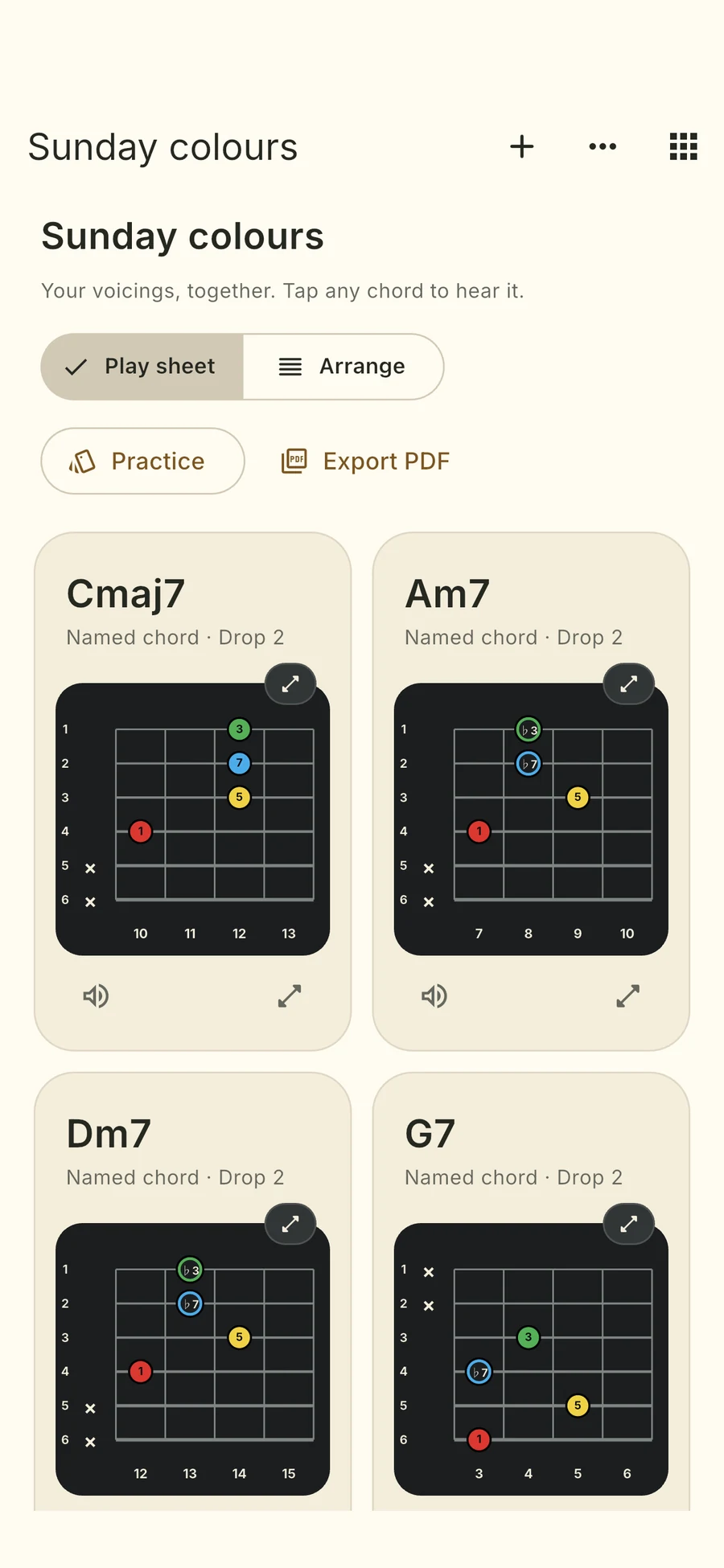
A shape worth remembering. A progression for Sunday. Keep exact voicings in favourites or your own collections.
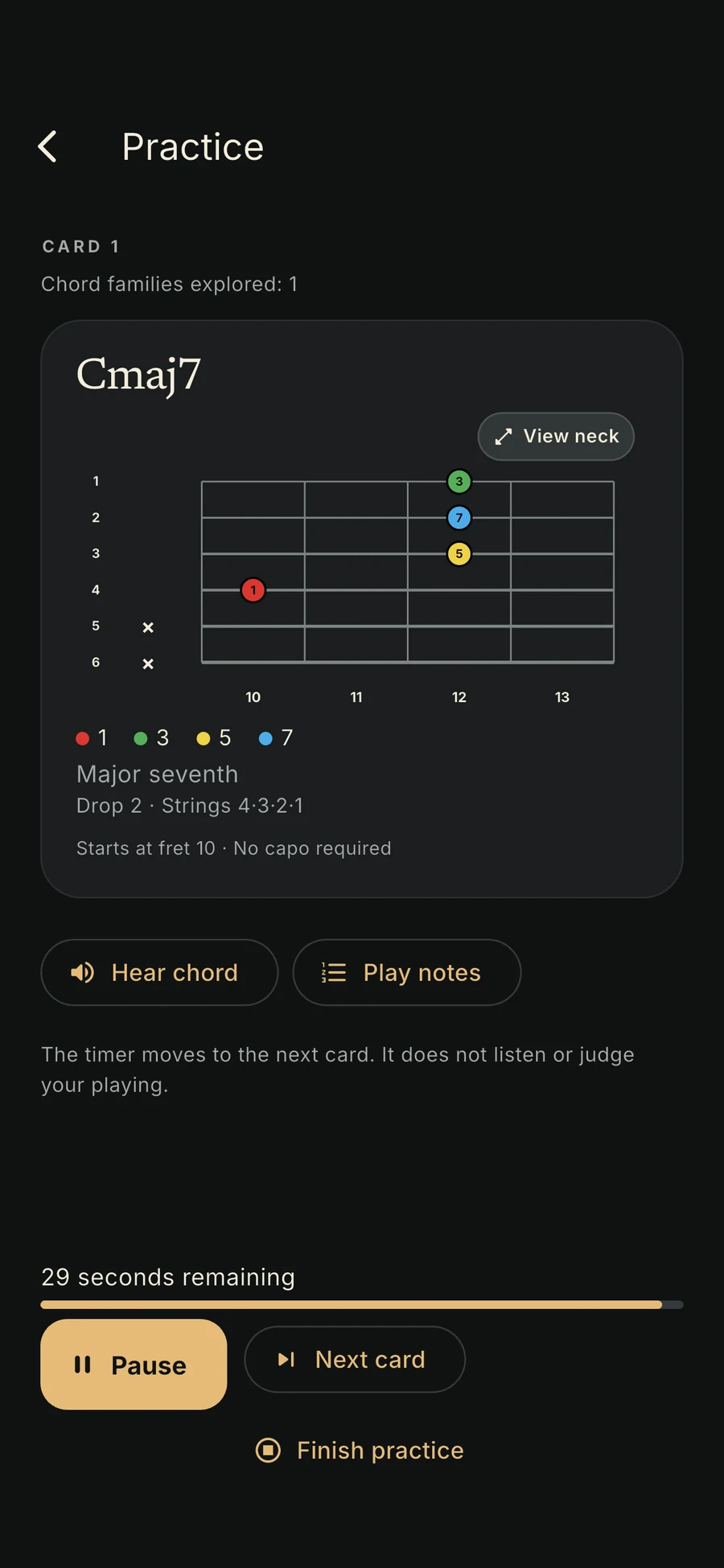
Start with familiar chords, explore a family, or practise your own collection. Set your pace and let the cards lead.
A PLACE FOR YOUR SOUNDS
Three simple places to go: Explore, Practice, Vocabulary. Your next chord is never far away.
The exact voicing across a 24-fret overview. Zoom in and re-centre.
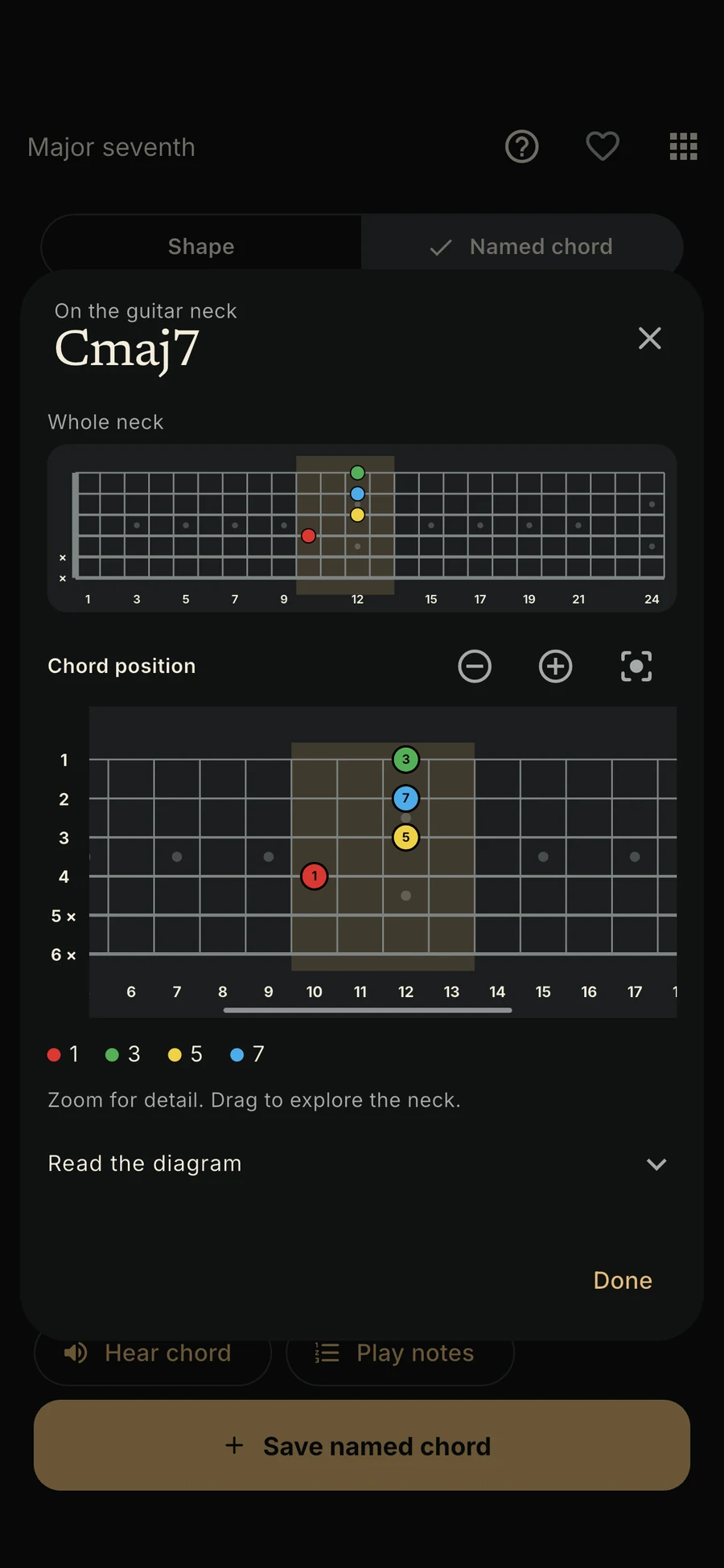
Cream or charcoal. Choose the app and diagram appearance independently.
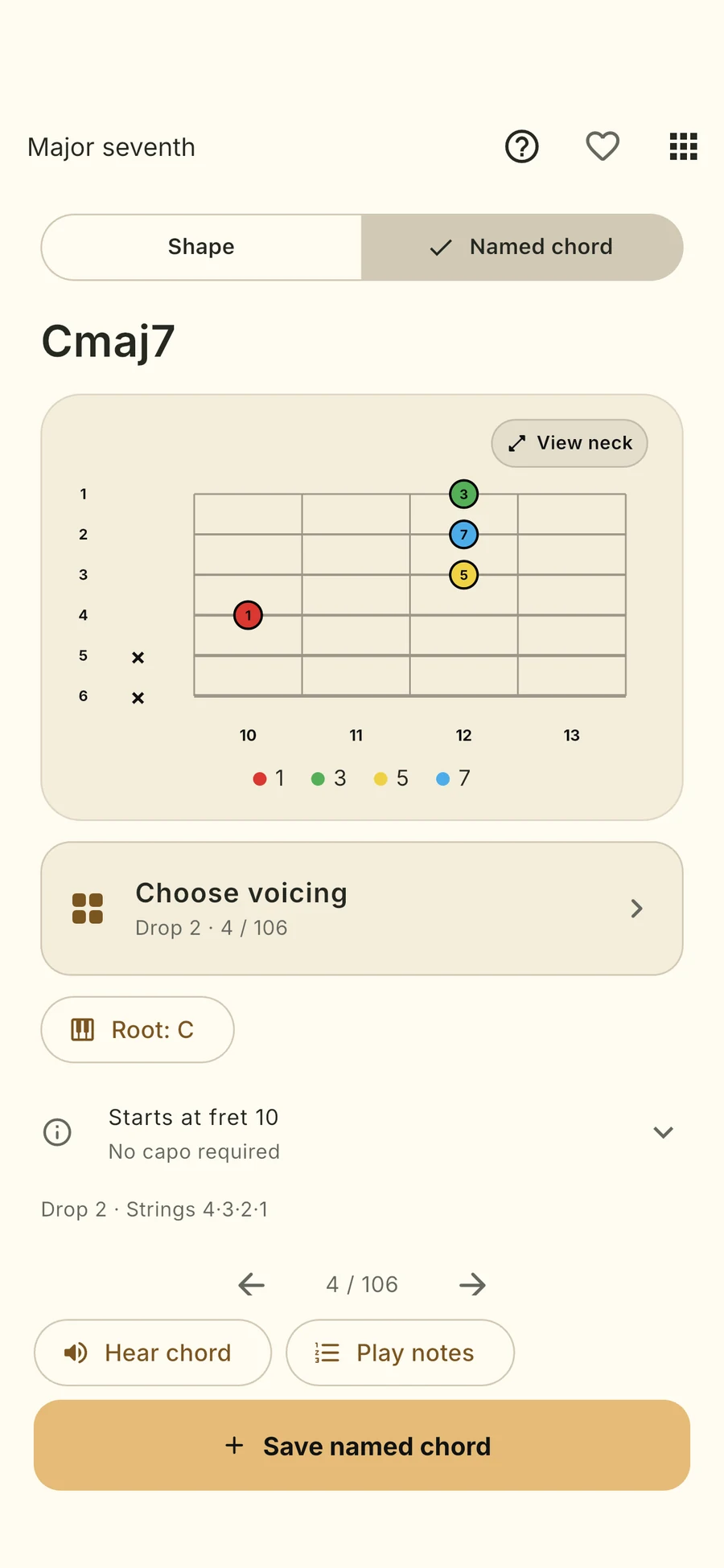
Horizontal diagrams. Clear fret numbers. Your choice of appearance.
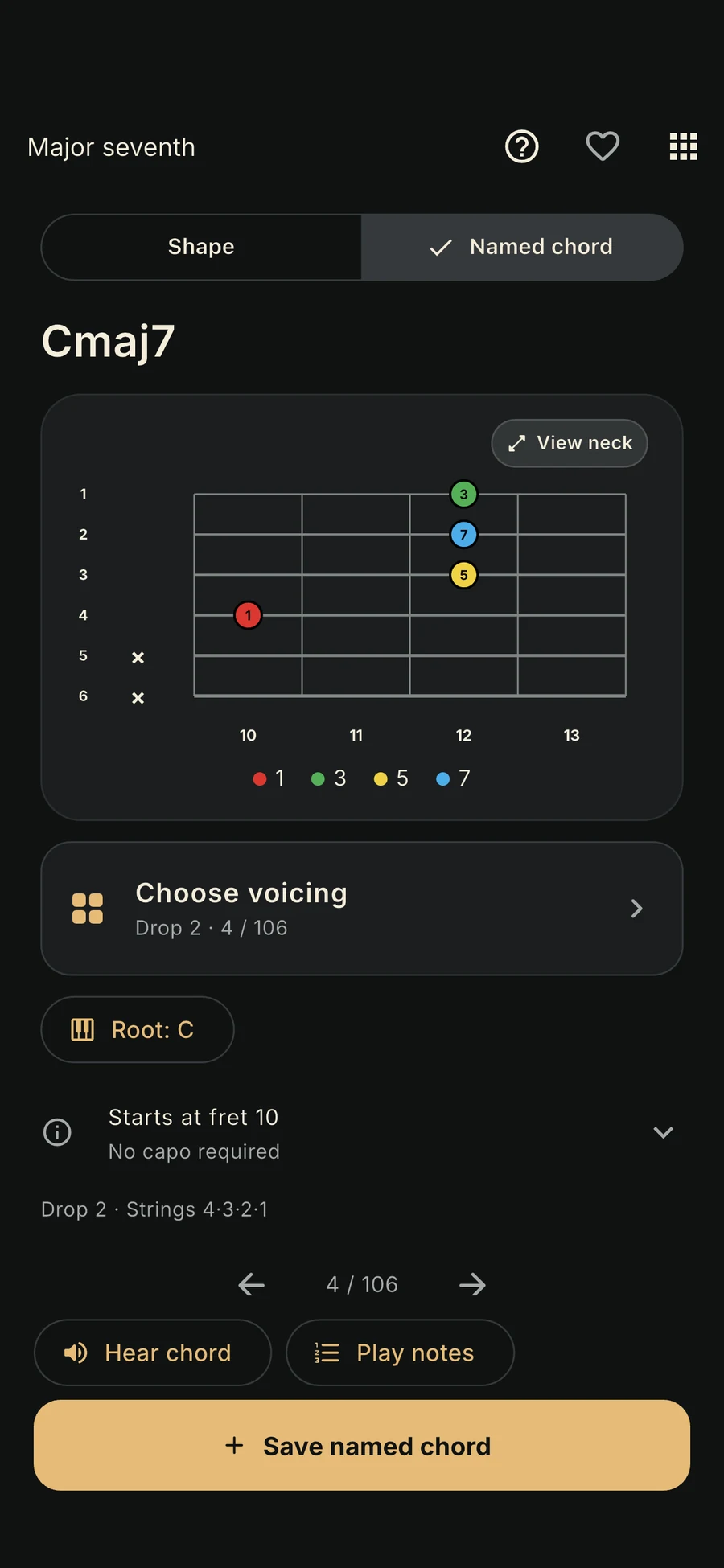
Your exact chords, together on one sheet.
Small sessions with the sounds you chose.
Real iOS app screens with example collections. Five interface languages.
FROM YOUR PHONE TO YOUR MUSIC STAND
Put a progression together. Keep the repeats. Add your own names. Export a clean PDF sheet, ready for your next session.
Yes. ChordFit is available on the App Store for iPhone and iPad with iOS 15 or later. The app interface is available in English, Spanish, French, Italian and European Portuguese.
The app is free to download. After onboarding, a monthly, yearly or lifetime purchase unlocks the full library. Prices and renewal terms appear in your local currency before purchase. You can try the website chord demo for free.
Both can explore it. Beginners can start with familiar open chords and short Theory Lab explanations. Players building their vocabulary can explore inversions, string sets and extended chords. It’s a dictionary and practice companion, not a full guitar course.
The current library has 45 chord qualities and 4,368 voicings for standard tuning, including movable shapes and familiar fixed-key grips. It’s a carefully bounded library, not every possible guitar fingering.
Custom chord creation is planned: place your notes on the fretboard and explore possible chord names. It is not available in the current app. Today, you can choose existing voicings, give saved chords your own labels and build personal collections.
Chord diagrams, synthesized playback and your collections live on your device. After purchase or restore, cached access works offline. When an online check detects an expired or revoked licence, you return to the paywall and keep your saved chords.
No. Timed cards help you practise at your own pace. The journal records cards shown and time spent, not correctness. Microphone checking is not included in the first release.
Yes. Export collections as PDF chord sheets for reading and sharing. A separate backup file restores your vocabulary, favourites and practice records. There is no account or cloud sync.
ON THE DRAWING BOARD
Place the notes. Explore possible names. Keep your discovery.
Custom chord creation · planned, not yet available in the app.
THE NEXT SOUND IS YOURS
Available now for iPhone and iPad. Questions? Say hello.